

This block combines three areas: Data sources, People lists and Operation history (Face search).
Data sources
Sources are the channels through which the NeuroVision™ platform receives image/video streams: surveillance cameras, photo files, archived videos.

*Section «Data Sources»*
Adding a new source
- Open Data Sources → Add New Source.
- Specify:
- Source name
- Parameters for checking faces for additional attributes (if necessary)
- Click Create source.
Groups of sources
- Create groups to organize sources by locations/projects.
View and Status
- The list shows: activity, basic statistics, status.
People lists
The People Lists section is key: this is where the database of people recognized by the system is stored.
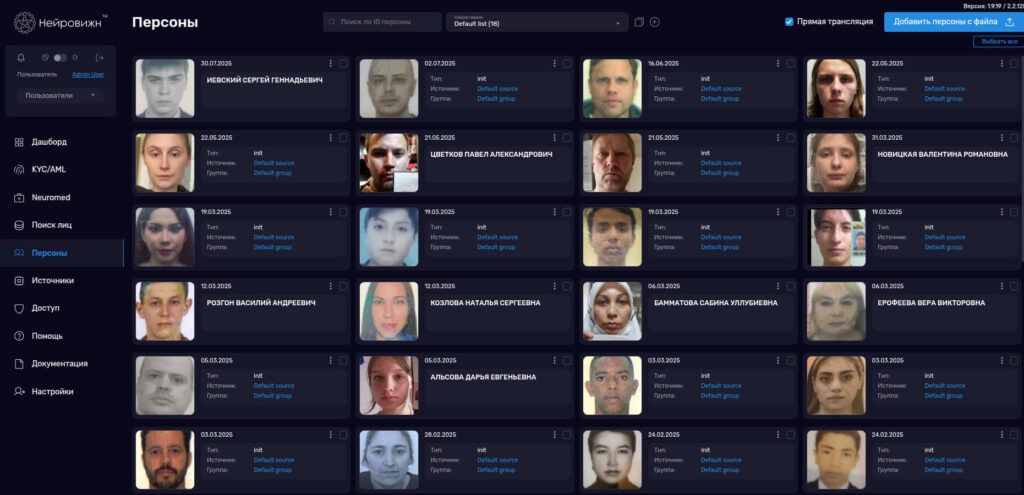
Lists, cards, and face search
Operations with lists and persons
- Add a person: upload photos (one or more), enter the details.
- Import from multiple files — bulk addition.
- Card editing: replace photo, update fields, find similar, move to another list.
- Deletion: one person at a time or in batches.
Analytics and Alerts
- Configure events.
- Use aggregated traffic and activity analytics.
Operation history (Face search)
Operation History — is a log of recognition events and actions in the admin panel.
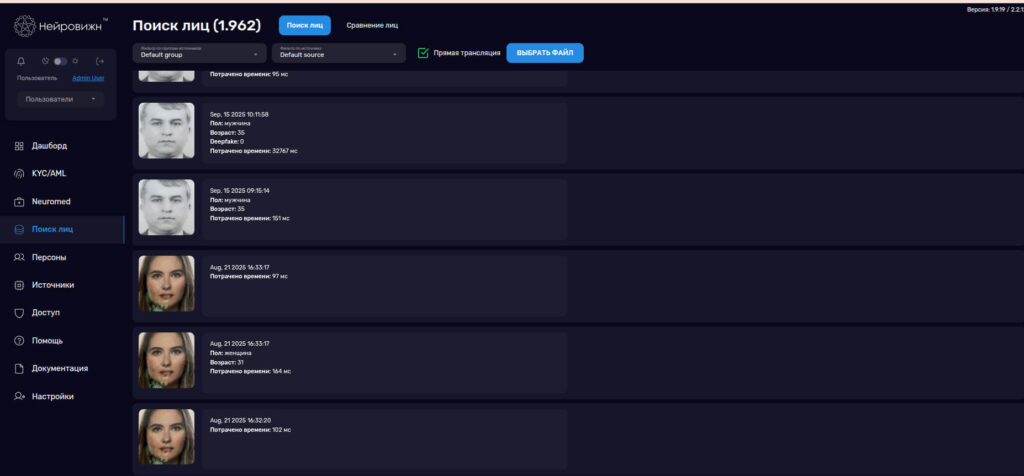
*Recognition and Action Log*
What is available
- Timeline view with filters by sources, groups, dates, person.
- Opening a person/source card, navigating related objects.